
Work / Wishbloom
A heartfelt message in two minutes, with no account needed.
Wishbloom lets anyone create a beautiful, animated, personalised message for birthdays, Christmas, Eid, graduations and more, then share it as a single link. I took it from idea to live product on my own: product thinking, UX, visual design and launch, using AI-assisted development to build it.
Problem
A plain text feels low-effort, and design apps take too long. People want something personal in the moment, often on their phone.
What I did
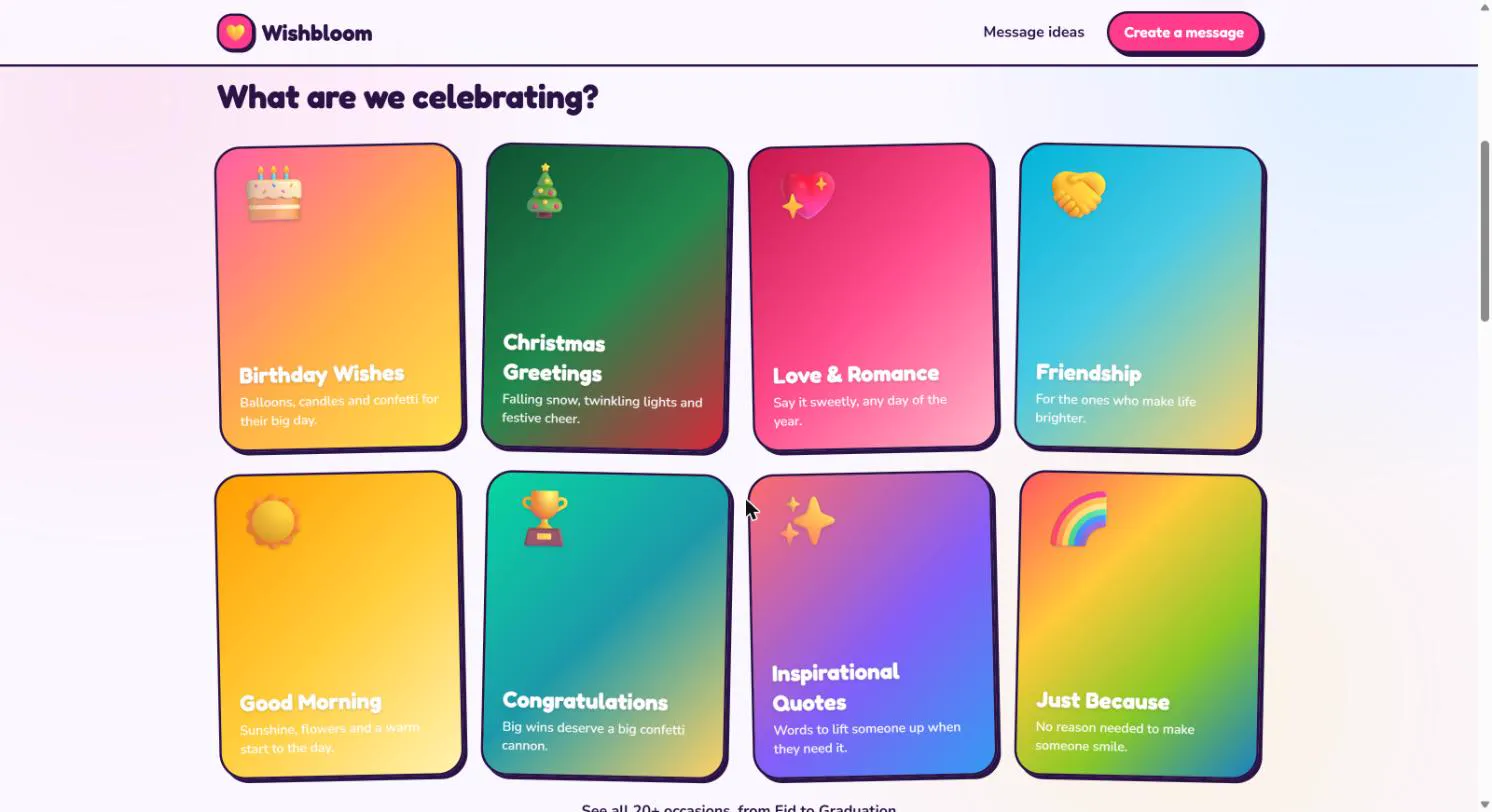
A 4-step "message studio", 20+ occasions with ready-made templates, and sharing by link that works in WhatsApp, Messenger or SMS.
Outcome
Live product: free, no sign-up, ready in about 2 minutes, with privacy controls built in from day one.
Insight
The blank page is the enemy
Most people want to say something warm but don't know what to say, and they're usually on a phone with a minute to spare. So the goal was never "a powerful editor". It was get someone from intent to a shareable message as fast as possible, without making it feel generic.
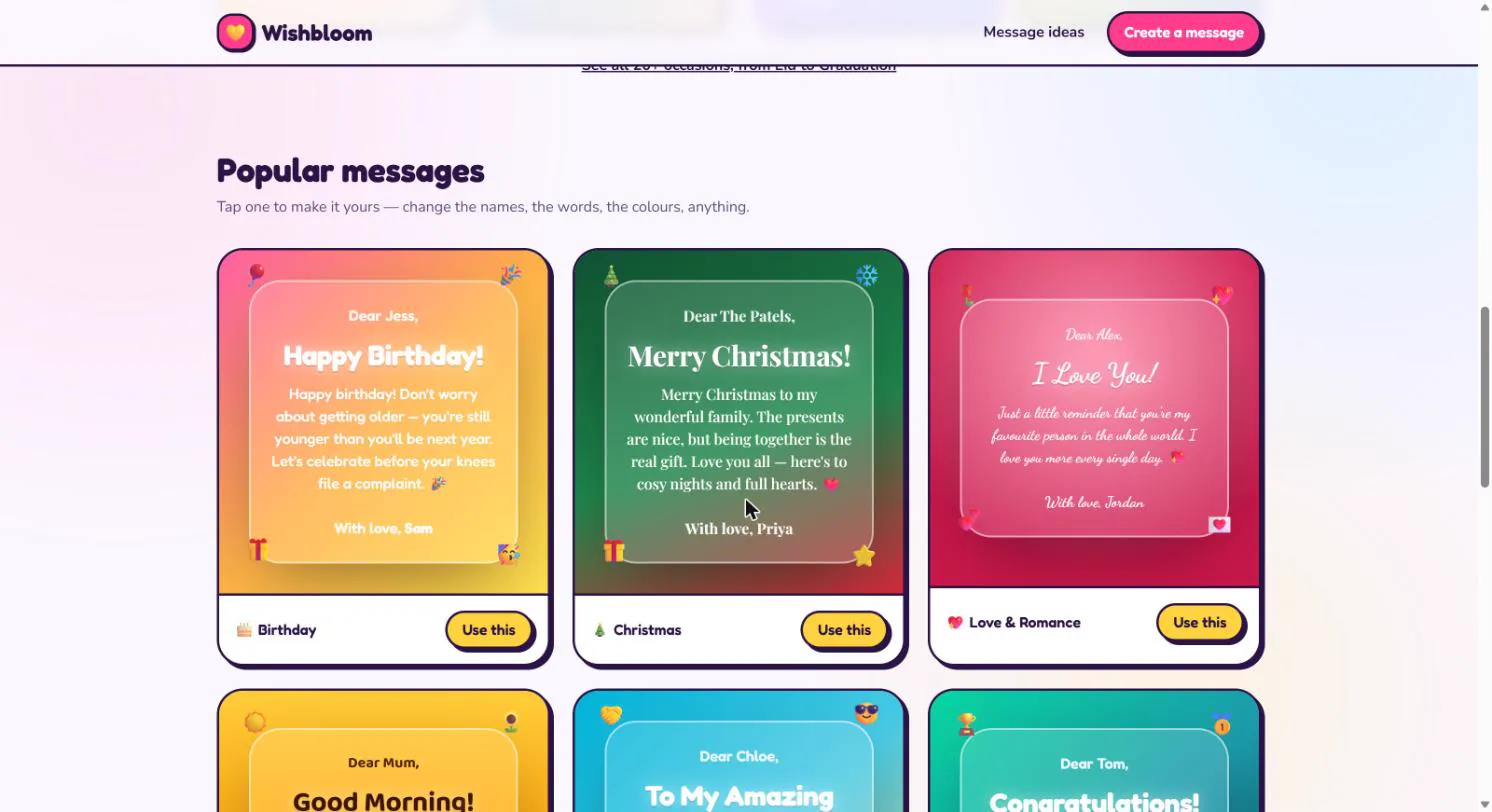
- Start from examples, not empty fields. The homepage shows finished messages that you can tap to make your own.
- Every word is editable. Templates are a starting point, never a cage. Names, text, colours and fonts can all change.
- No account. Asking people to sign up before they've seen any value is the biggest cause of drop-off, so I removed it.
Flow
The message studio
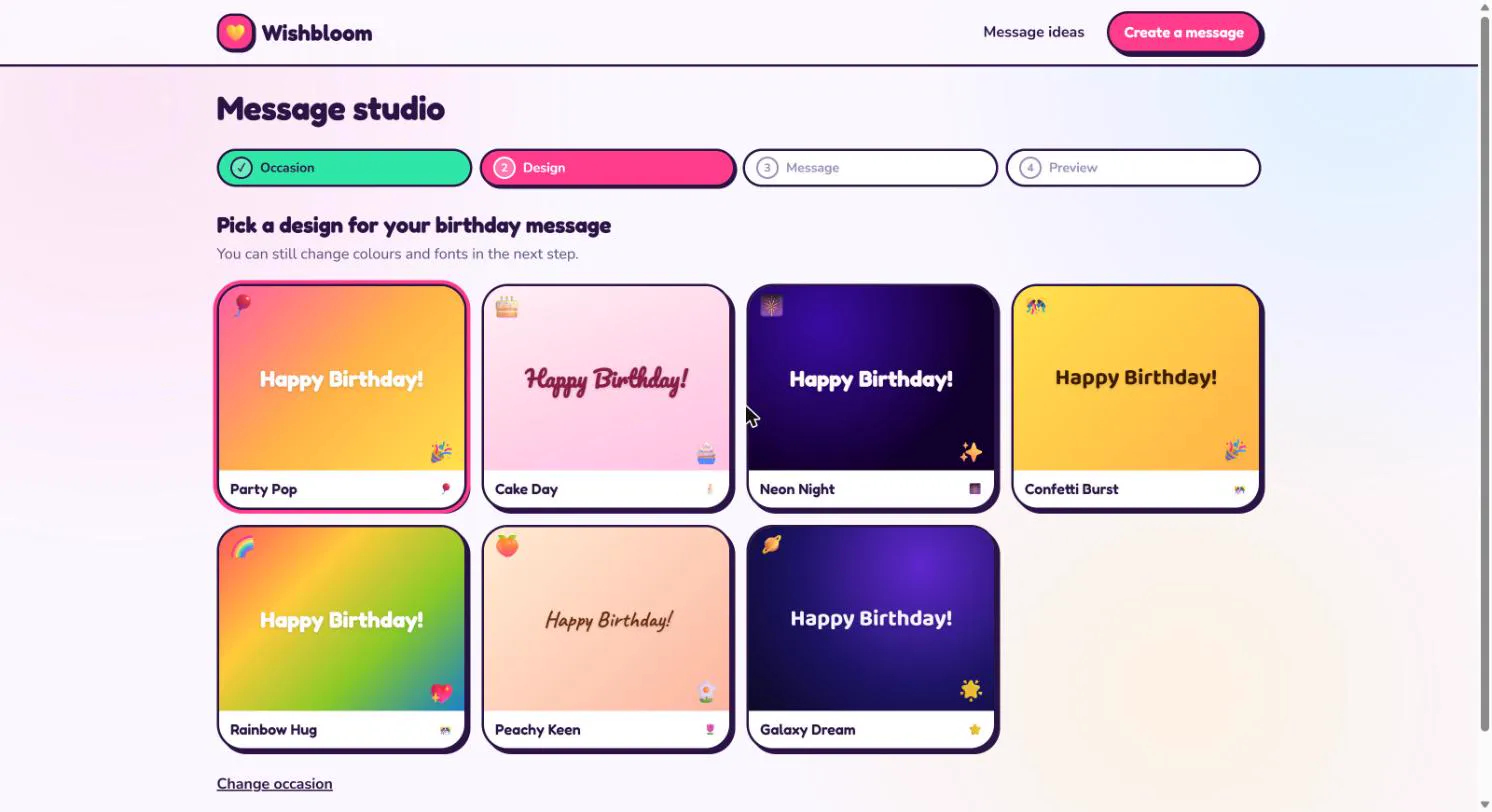
Creating a message is a 4-step flow with a persistent progress bar: Occasion → Design → Message → Preview. Each step asks for one decision. Completed steps turn green and stay clickable, so it's always easy to go back and change something.
Designed for the share moment
The message is the product, but the link is how it spreads. Shared messages open instantly in any browser, with no app or login, and links come with a rich preview image so they look good when they land in a WhatsApp chat.
Trust
Privacy as a feature
This is where my cybersecurity background shaped the product. A site full of people's names and personal messages has to be trustworthy by default:
- Data minimisation: no accounts and no profile. Wishbloom only collects what it needs to show a message.
- A fair cookie banner: "Accept all" and "Essential only" get equal visual weight, written in plain language, with a clear Customise option. No dark patterns.
- Clear policies: privacy, terms and advertising pages linked from every footer, and consent can be changed at any time.
Outcome
Where it is now
- Live at wishbloom.online: 20+ occasions, from birthdays to Eid and graduations.
- From landing to a shareable message in about 2 minutes, with no sign-up.
- Seasonal prompts (for example "Christmas is coming") to bring people back at the moments they need it.
Next
Measure how many visitors complete a message and how often shared links get opened, and use that to decide which occasions and templates to expand.